Digiturk euro
Support

Help Center

Your answer is most likely here. Pick a topic or browse the questions below.

DigitürkPlay & Watching

What is DigitürkPlay and how does it work?

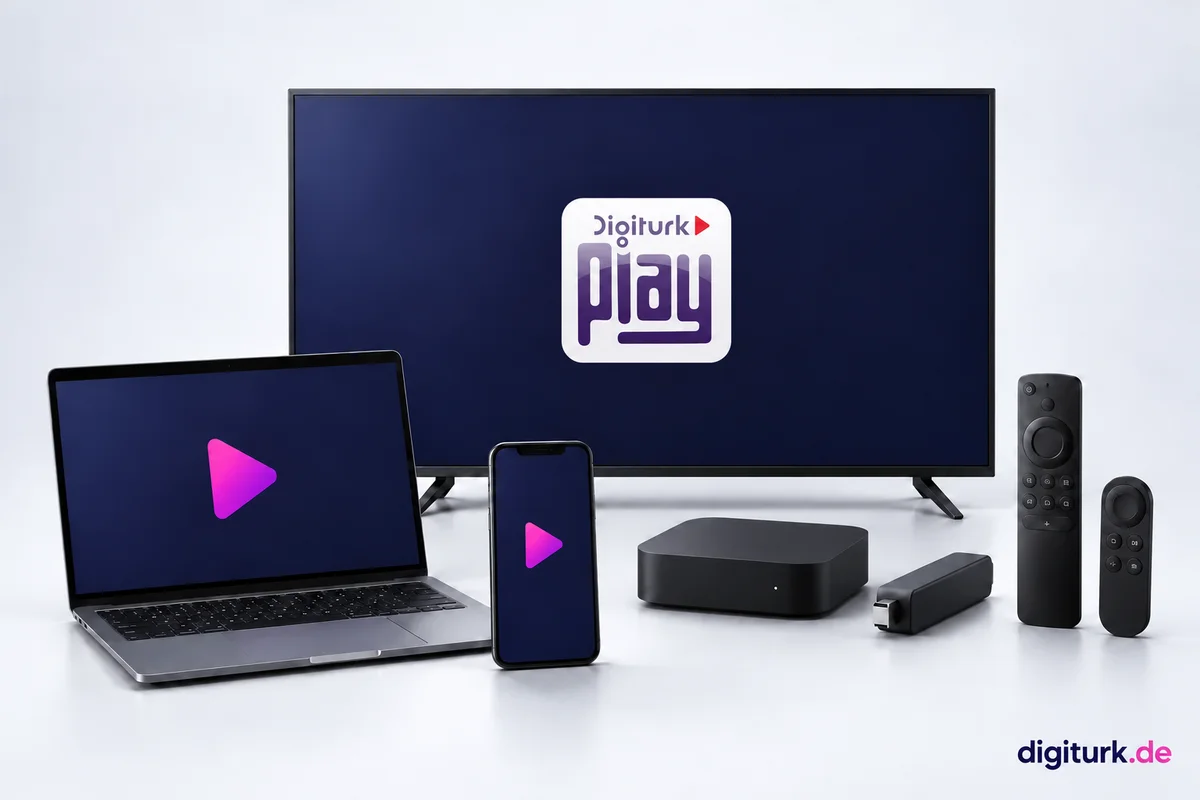
DigitürkPlay is Digitürk's internet-based streaming service. No dish, no cable, no receiver needed — with just an internet connection you can watch over 50 Turkish channels, all Süper Lig matches, films and series on your Smart TV, phone, tablet or web browser. After ordering, your subscription is active within seconds, with no installation or technician appointment.

Do I need a satellite dish or receiver?

No. DigitürkPlay runs entirely over the internet and requires no hardware installation. If you don't have a Smart TV, you can also watch on a normal television using the optional IP-Kutu (Stream BOX) — otherwise no additional device is needed.

What's the streaming quality? Can I watch in Full HD?

Streaming is delivered in Full HD up to 1080p. Picture quality adjusts automatically to your internet speed; for Full HD a download speed of around 2 Mbit/s is recommended. You can check whether your connection is sufficient in seconds with the speed test on our site.

Can I pause and rewind live TV?

Yes. You can pause live TV at any time, resume where you left off and rewind up to 12 hours to catch up on what you missed. You can also watch films and series on demand whenever it suits you.

On how many screens can I watch at the same time?

Watching is possible on only one screen at a time. You can use your subscription on a phone, tablet, computer or Smart TV — but playback runs on just one device at any given moment.

Can I watch from abroad (within Europe)?

Yes. DigitürkPlay works anywhere in Europe with an internet connection. Anyone living in Germany, Austria, the Netherlands or neighbouring countries can watch the programmes from Turkey from the comfort of home.

Devices & App

Which devices does it work on?

Samsung, LG, Sony and similar Smart TVs; Apple TV, Android TV and Amazon Fire TV; iPhone, iPad and Android phones/tablets; plus any web browser. With a single account you can sign in on all your devices.

How do I install the app and sign in?

Download the app from your device's store (App Store, Google Play, Smart TV store) or go via the web; then sign in with your subscription details. Your access details arrive by email after purchase.

I don't have a Smart TV — can I still watch?

Yes. The IP-Kutu (Stream BOX), which you can add during ordering, makes your normal television capable of internet streaming. You connect the box to your TV via HDMI, link it to the internet and start watching. The device usually reaches your address within 2-4 working days by courier.

Is my internet fast enough, and how do I check?

Using the speed test on our DigitürkPlay page, you can measure your connection in seconds. Around 2 Mbit/s is enough for Full HD; at lower speeds the stream automatically adjusts to HD/SD quality and stays smooth.

Ordering & Payment

How do I order?

On the packages page, choose the package and term that suit you and click 'Buy'. In the steps that appear, enter your name, email and phone number; if you've chosen the IP-Kutu, add your delivery address and complete your order in the secure payment step. The whole process takes just a few minutes.

Which payment methods can I use?

Credit/debit card, PayPal, Google Pay, Apple Pay, Klarna, SEPA and more are accepted. The available methods may vary by your country; all are offered securely in the payment step.

Is payment secure?

Yes. Payments are processed through Adyen, the secure payment platform used worldwide. Your card details are not passed on to us; everything runs in an encrypted (SSL), PCI-DSS-compliant environment.

When does my subscription become active?

Seconds after your payment is confirmed, your subscription is activated automatically and your access details are sent to your email. If you've chosen the IP-Kutu, watching still starts right away; the device additionally reaches your address within 2-4 working days by courier.

Are prices inclusive of VAT, and do I get an invoice?

All prices shown on the site include VAT; there are no surprise extra charges. Your order confirmation and documents are sent to your email address.

Account & Sign-in

How do I sign in to the subscription portal?

You sign in to the portal without a password: enter your email on the 'Sign in' page, we send you a 6-digit code, you enter the code and you're in. If you prefer, you can also use 'Sign in with Google'. In the portal you'll see your membership number, username and password.

I forgot my password — what should I do?

You don't use a password to sign in to the portal; each time you log in with a one-time code sent to your email. So there is no password to remember.

How do I renew or extend my subscription?

When your subscription expires or is about to end, you renew it by choosing a new package via the prompt in the portal. The new subscription activates instantly, and you keep watching without interruption.

Which email should I use to sign in?

The email address you entered when ordering is also your login identity for the portal. Since your subscription details are sent to this address too, entering the correct email at ordering is important.

Cancellation, Refund & IP-Kutu

Do I have a right to a refund / withdrawal?

Yes. Within 14 days of purchase you have the right to withdraw from the contract with a valid reason. You can submit your request via 'Refund / Cancellation request' in the subscription portal; after review, if eligible, your refund is completed within 3 working days. For details, see the Refund Terms page.

How do I cancel my subscription?

Within 14 days of purchase you can request a refund with a valid reason via the subscription portal. If you wish to cancel after the 14 days have passed, no refund is made; your subscription ends automatically when its term expires.

What is the IP-Kutu (Stream BOX), and who needs it?

The IP-Kutu is a small device that makes older televisions without app support (non-Android/non-Smart) capable of internet streaming. If you have a Smart TV, Apple TV or similar device, you don't need the IP-Kutu.

When will the IP-Kutu reach me?

If you've chosen the IP-Kutu, the device is shipped by courier to the delivery address you provided when ordering. Since your subscription is already active in the meantime, you can start watching right away on your other devices (phone, tablet, Smart TV).

The Süper Lig has kicked off — watch now

Watch today's match over the internet, no dish required. Instant activation.

View Packages